The right gaming gift can make a familiar setup more comfortable, more expressive, or easier to use. These nine picks cover play, streaming, audio, and desk upgrades.
Consider how the recipient plays and what they already own: a thoughtful fit often matters more than adding another device.
9 Gift Ideas for Gamers, From Desk Upgrades to Game Night
SteelSeries Arctis Nova Pro Wireless Headset

- Connect two systems at once and switch between supported platforms.
- Use active noise cancellation and Transparency Mode to hear your surroundings.
- Swap batteries to keep a gaming session going.
Best Gift For: A gamer who switches between PC, PlayStation, Switch, or Mac.

SteelSeries Apex Pro TKL Gaming Keyboard

- Adjust actuation separately for each key.
- Assign two actions to one key.
- Use its tenkeyless layout with full-size functionality.
Best Gift For: A PC gamer who wants to tailor key response for different actions.
SteelSeries Rival 5 Gaming Mouse

- Use the nine-button programmable layout for custom actions.
- Track movement with a TrueMove Air optical sensor.
- Its lightweight build weighs 85g.
Best Gift For: A gamer who plays battle royale, FPS, MOBA, or MMO games.
FIFINE AmpliGame AM8W Gaming Microphone

- Connect by USB or XLR.
- Control muting and gain from the microphone.
- Use RGB lighting with a USB connection.
Best Gift For: A gamer who streams or records at a white-themed desk.
TP-Link Archer AXE75 WiFi 6E Router

- Tri-band WiFi is designed for simultaneous browsing, streaming, and gaming.
- The 6 GHz band supports responsive gaming and video chatting.
- Pair with a TP-Link OneMesh extender for whole-home coverage.
Best Gift For: Households with multiple connected devices
Audioengine A2+ Wireless Computer Speakers

- Stream wirelessly from phones, tablets, and computers.
- Connect a computer through USB-C for the integrated DAC.
- The compact powered speakers are designed for desks.
Best Gift For: A gamer who enjoys desktop sound for games, music, and calls.
HUANUO FlowLift Dual Monitor Desk Mount

- Fits monitors 13 to 32 inches, weighing 4.4 to 19.8 lbs, with VESA 75x75mm or 100x100mm mounting holes.
- Choose between C-clamp and grommet mounting.
- Route cords along the arms to keep the desktop tidier.
Best Gift For: A gamer with two compatible monitors and a suitable wooden desk.
TMY 1080P Mini Projector with 80-Inch Screen
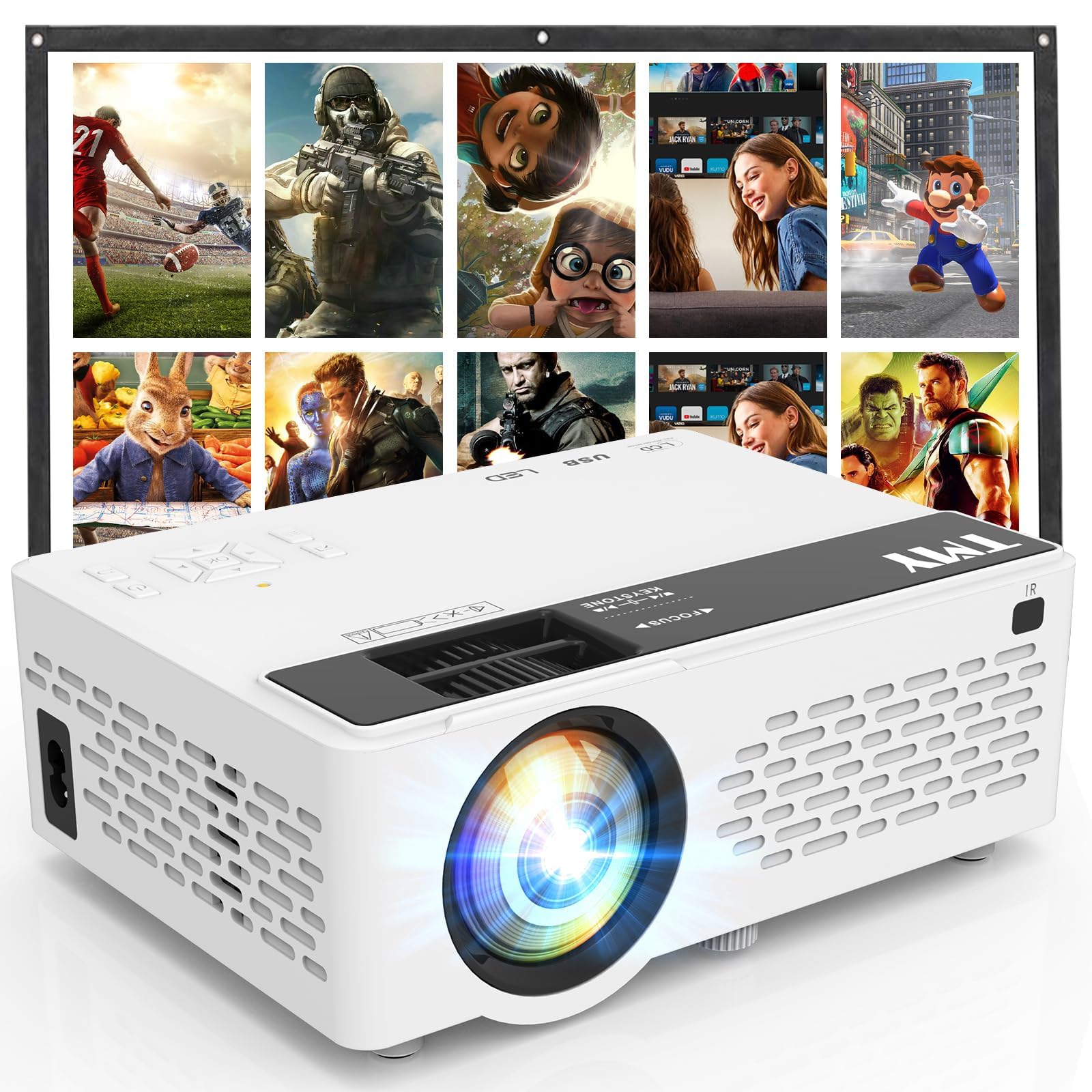
- An 80-inch foldable projection screen is included.
- Connect gaming consoles through HDMI or USB.
- Pair external speakers or a soundbar over Bluetooth.
Best Gift For: A gamer who enjoys playing on a larger screen at home or outdoors.
SABRENT USB-C 6-Port Hub & M.2 SSD Dock

- Connect an external display over HDMI at up to 4K@60Hz on compatible devices.
- Add an M.2 SATA or NVMe SSD in the internal slot, which supports 2242, 2260, and 2280 form factors.
- Connect through the integrated USB-C cable, with up to 90W bypass charging power delivery.
Best Gift For: A laptop or handheld gamer who wants extra ports and portable storage options.
1. Match gifts for gamers to the way they play
Choosing gifts for gamers gets easier when you picture the recipient’s routine. Someone who alternates between console and computer may appreciate a flexible audio setup, while a player who spends hours at one desk might get more use from a keyboard, mouse, or monitor arrangement.
Think about what already works well. A peripheral should fit the recipient’s platform and habits, while a network or display upgrade makes most sense when it solves a real household setup need.
If you are unsure, ask a friend or family member what the gamer uses before choosing.
Shared spaces matter, too. Headphones can suit late sessions, while speakers or a projector can make gaming a group activity.
For streamers, consider whether the gift supports their existing recording setup and whether they prefer a clean, coordinated desk.
2. Balance the budget with the setup
Set a comfortable spending range before browsing. A small accessory can feel thoughtful when it addresses a daily annoyance, and a larger upgrade is easier to justify when you know the recipient has wanted it.
The most satisfying choice is often the one they will use regularly.
Consider any extra pieces needed to make a gift useful. A router may require a compatible modem for many internet providers; a hub’s display features depend on the connected device; and monitor mounts require matching monitors and desk conditions.
Check current product details and compatibility before ordering.
When comparing options, focus on the experience each adds: easier control, clearer communication, a tidier surface, or a different way to enjoy a game. Confirm actual prices and dimensions at purchase time, and avoid stretching the budget for features the recipient is unlikely to use.
3. Personalize gifts for gamers around their setup
Personal touches make gifts for gamers feel chosen for a person, not just a hobby. Match colors to their desk if you know their style, or think about the games and platforms they mention most.
A gift that fits their everyday routine shows you have paid attention.
If you do not know their exact preferences, choose a practical direction rather than guessing at aesthetics. Ask someone who shares their gaming space whether the recipient wants better audio, more desk room, or a simpler way to connect devices.
That small check can prevent duplicate or incompatible gear.
Presentation can be simple and specific. Pair the item with a handwritten note naming the kind of game night, stream, or setup refresh you hope it supports.
For a shared entertainment gift, invite the recipient to pick the first game or movie once everything is ready.
4. Make the unboxing part of the gift
A little presentation can turn a practical upgrade into a warm occasion. Wrap the gift with a note about why you chose it, or place a small card beside it with an idea for how to enjoy it together.
The invitation can be as simple as setting aside an evening to play.
For equipment with setup requirements, include a friendly reminder to check compatibility and current instructions before connecting everything. If you know the recipient prefers to configure their own devices, keep the presentation low-pressure and let them decide when to install it.
For a group gift, invite everyone to contribute a short message or a favorite game memory. This adds meaning without making the recipient feel obligated to change their existing setup or use a device before they are ready.
5. Plan carefully for last-minute buying
For a late purchase, prioritize gifts that fit what you already know about the recipient. Familiar platforms, desk habits, and shared-room needs are useful clues; guessing at specialized equipment can create extra work.
If uncertain, a broadly useful setup accessory may be a safer choice than a highly specific upgrade.
Check the current product details, compatibility, dimensions, and delivery estimate before placing an order. Availability and arrival timing can change, so leave room for a backup plan if the gift is needed for a particular celebration.
Avoid assuming a package will arrive by a certain date.
If delivery timing is uncertain, make the moment feel complete with a printed note or a simple card explaining the planned gift. You can give that with a small snack or a favorite game-night treat, then share the product details once you have confirmed the order.