The SteelSeries Apex Pro Mini review is for players weighing a compact 60% layout against per-key actuation control. Its adjustable switches and two-action keys offer room to tailor inputs to different games.
Apex Pro Mini Review Summary
The quick verdict
1,000+ ratings
Read Amazon ReviewsSteelSeries Apex Pro Mini
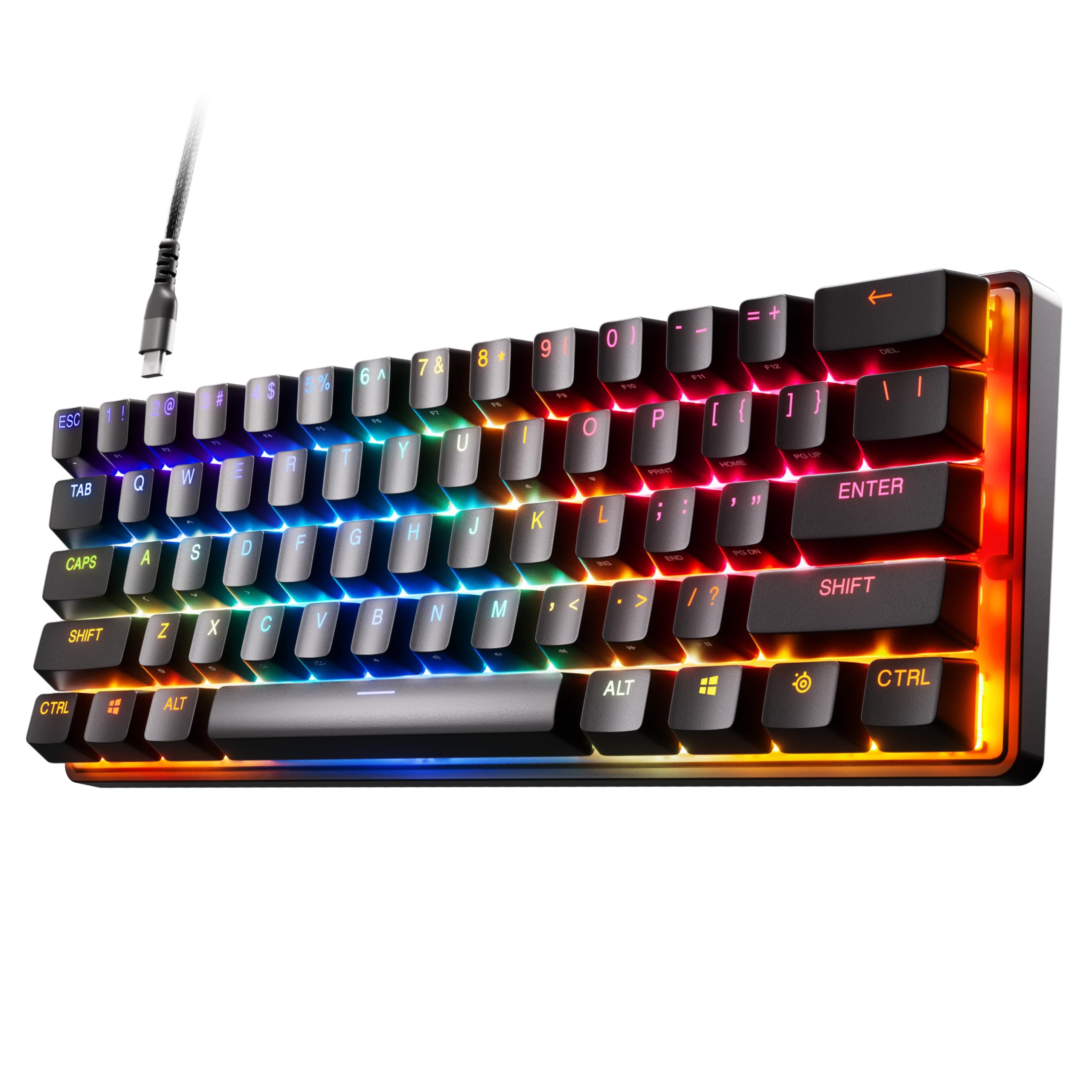
A compact gaming keyboard for players who want per-key actuation control and programmable two-action keys in a 60% layout.
- 60% form factor with full-size functionality.
- OmniPoint 2.0 adjustable HyperMagnetic switches.
- Forty per-key actuation levels, adjustable from 0.1 to 4.0mm.
- Two actions can be programmed to one key, such as walking on a light touch and sprinting on a deep press.

Pros
- Per-key actuation adjustment provides fine control over activation depth.
- Two-action keys can map light and deep presses to different in-game actions.
Consider before buying
- A 60% layout is a poor fit if you want a larger keyboard layout with more dedicated keys readily available.
- Mac users should check whether the software features they rely on are supported, since support is not complete on Mac OS.
Read the full review summary
The Apex Pro Mini combines a small 60% form factor with OmniPoint 2.0 adjustable HyperMagnetic switches.
You can set different actuation depths per key, which gives players a way to make movement keys respond to lighter presses while reserving deeper presses for other actions.
It suits desk setups where saving space matters and players want to customize inputs rather than use one fixed activation point.
Two different actions can be assigned to one key, while Windows, Xbox, PlayStation and Mac OS X compatibility broadens where the keyboard may fit; some software features are not supported on Mac.
The buying factors
Apex Pro Mini Scorecard
Editorial scores reflect listed features and buyer fit; they are not laboratory measurements or customer ratings.
Actuation adjustability
Forty per-key levels from 0.1 to 4.0mm give substantial control over how far keys travel before activation.
Input customization
Two actions can share a key, with different actions tied to light and deep presses.
Layout compactness
The 60% form factor prioritizes a smaller keyboard footprint while retaining full-size functionality.
Connection flexibility
A detachable USB-C connection is convenient for setups that value a removable cable.
Platform flexibility
Compatibility covers Windows, Xbox, PlayStation and Mac OS X, though some software features do not work on Mac OS.
Onboard materials
The premium aluminum top plate and PBT keycaps are useful material choices for a gaming keyboard.
Key Features and Specifications of Apex Pro Mini
- 60% form factor with full-size functionality.
- OmniPoint 2.0 adjustable HyperMagnetic switches.
- Forty per-key actuation levels, adjustable from 0.1 to 4.0mm.
- Two actions can be programmed to one key, such as walking on a light touch and sprinting on a deep press.
- Rapid Trigger dynamically activates and deactivates keys based on travel distance rather than a fixed point.
- Detachable USB-C connection, premium aluminum top plate and PBT keycaps.
- Compatible with Windows, Xbox, PlayStation and Mac OS X; a USB port is required, and some software features are not supported on Mac OS.
Pros and Cons of Apex Pro Mini
Pros
- Per-key actuation adjustment provides fine control over activation depth.
- Two-action keys can map light and deep presses to different in-game actions.
- The 60% layout aims to save space while preserving full-size functionality.
- Detachable USB-C, PBT keycaps and an aluminum top plate round out the hardware.
Consider before buying
- A 60% layout is a poor fit if you want a larger keyboard layout with more dedicated keys readily available.
- Mac users should check whether the software features they rely on are supported, since support is not complete on Mac OS.
- The supported SteelSeries Engine versions depend on the computer: Windows 8.1 or newer and Mac OSX 10.13 or newer.
Who Should Buy Apex Pro Mini?
Good fit
Buy the Apex Pro Mini if you want a compact gaming keyboard and expect to tune actuation around particular keys or actions.
Its 40 levels of per-key adjustment make it possible to favor light presses on movement keys and deeper presses elsewhere.
It is also a good match for players who can make use of two actions on one key, or who want a detachable USB-C cable and broad console and computer compatibility.
Mac buyers should confirm that the required software features are available for their setup.
Who should skip it
Skip it if you prefer a larger keyboard layout with more dedicated keys. The 60% design is the defining space-saving choice, so buyers should be comfortable with that compact format.
It may also be the wrong fit if you need every SteelSeries Engine feature on Mac OS; some software features are not supported there.
Apex Pro Mini Review Analysis
Actuation control for different games
The key buying distinction is that actuation can be tuned per key rather than applied as one fixed setting.
That gives players a way to make frequently used movement keys respond to lighter presses and keep other inputs deeper, although the benefit depends on whether you want to spend time customizing your layout.
Two actions on one key
The 2-in-1 action feature lets one key perform different actions based on press depth, with walking and sprinting given as an example.
This can be useful in games where those actions naturally share an input, but it is less compelling if you prefer straightforward one-key, one-action controls.
Compact layout and setup fit
The 60% form factor is the main layout consideration, paired with full-size functionality.
The detachable USB-C connection and stated compatibility across Windows, Xbox, PlayStation and Mac OS X make it adaptable across setups, subject to the Mac software limitation.
Alternatives to Apex Pro Mini
Only one clearly documented direct alternative is available in the supplied selection.
Computer Keyboards alternative
500+ ratings
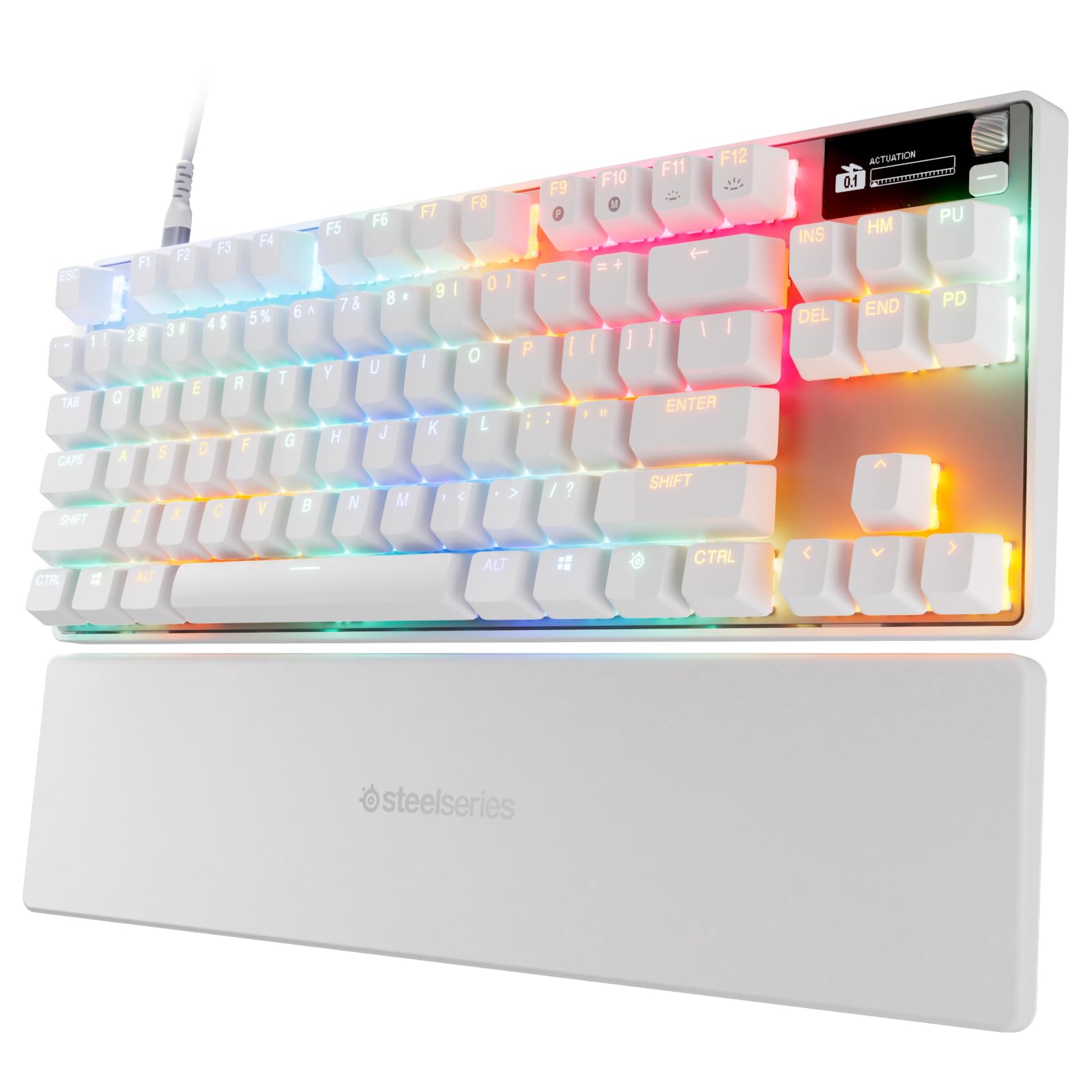
Read Amazon ReviewsSteelSeries Apex Pro TKL Gen 3
Choose the Apex Pro Mini for its compact 60% form factor and adjustable actuation. Choose the Apex Pro TKL Gen 3 for its TKL layout, Rapid Tap, Protection Mode, and adjustable magnetic switches.
- The Apex Pro TKL Gen 3 has OmniPoint 3.0 analog magnetic switches, Rapid Tap, and Protection Mode.
- Its Pro TKL layout suits gamers who want these features in a wired keyboard.
- The Apex Pro Mini uses OmniPoint 2.0 switches in a 60% form factor, making it the smaller-layout choice for adjustable actuation.
Is Apex Pro Mini Worth It?
The SteelSeries Apex Pro Mini is worth considering if you want a space-saving gaming keyboard with adjustable per-key actuation and programmable two-action keys.
Those features give it a clear purpose for players who want to tune inputs around specific games.
Buy it if the compact 60% layout fits your desk and habits; pass if you want a larger layout or rely on SteelSeries Engine features that are unsupported on Mac OS.
The detachable USB-C connection, PBT keycaps and aluminum top plate add practical hardware appeal, while platform requirements deserve a check before purchase.
Your review at a glance
1,000+ ratings
Read Amazon ReviewsSteelSeries Apex Pro Mini
A compact gaming keyboard for players who want per-key actuation control and programmable two-action keys in a 60% layout.
- 60% form factor with full-size functionality.
- OmniPoint 2.0 adjustable HyperMagnetic switches.
- Forty per-key actuation levels, adjustable from 0.1 to 4.0mm.
- Two actions can be programmed to one key, such as walking on a light touch and sprinting on a deep press.